Bulk Sender
Send personalized one-to-one messages to large contact lists with controlled pacing.
- Manual entry or CSV/TXT upload
- {{name}} personalization
- Images, safe delay, and live logs
MS Reach brings personalized sending, group workflows, clean contact exports, number validation, and AI-assisted replies into one focused desktop workspace.
 Developed and sold by Malleable Software
Work with individual contacts, groups, labels, chats, and AI-assisted replies without juggling separate tools.
Send personalized one-to-one messages to large contact lists with controlled pacing.
Send one message to multiple WhatsApp groups from a single workflow.
Export members from groups you administer into clean, useful CSV files.
Check whether contact numbers are registered before starting outreach.
Fetch and export contacts organized inside WhatsApp Business labels.
Turn your existing chat list into a clean contact export.
Connect OpenAI models to automate replies using your own instructions.
MS Reach keeps every important control visible, so teams can prepare data, choose the right workflow, and monitor activity with less friction.
View MS ReachSelect bulk sender, group tools, validator, exports, or AI chatbot.
Paste details manually or import from supported files and WhatsApp sources.
Add personalization, attachments, prompts, and an appropriate delay.
Review real-time logs and save clean output files for the next step.
Purchase directly from Malleable Software through our secure WooCommerce storefront.
Purchase the Windows desktop application securely through WooCommerce.
Use MS Reach only with contacts who have consented to receive your messages. Follow WhatsApp’s terms, applicable privacy laws, and local anti-spam requirements.
Follow the complete one-time licence-generation process before activating MS Reach.
Each paid purchase creates one unused entitlement in the buyer’s account. The first successful licence generation permanently closes that purchase code.
Go to My Account → MS Reach Licence. Every paid purchase appears separately. Customers with multiple purchases can use each unused purchase once; using one does not affect the others.
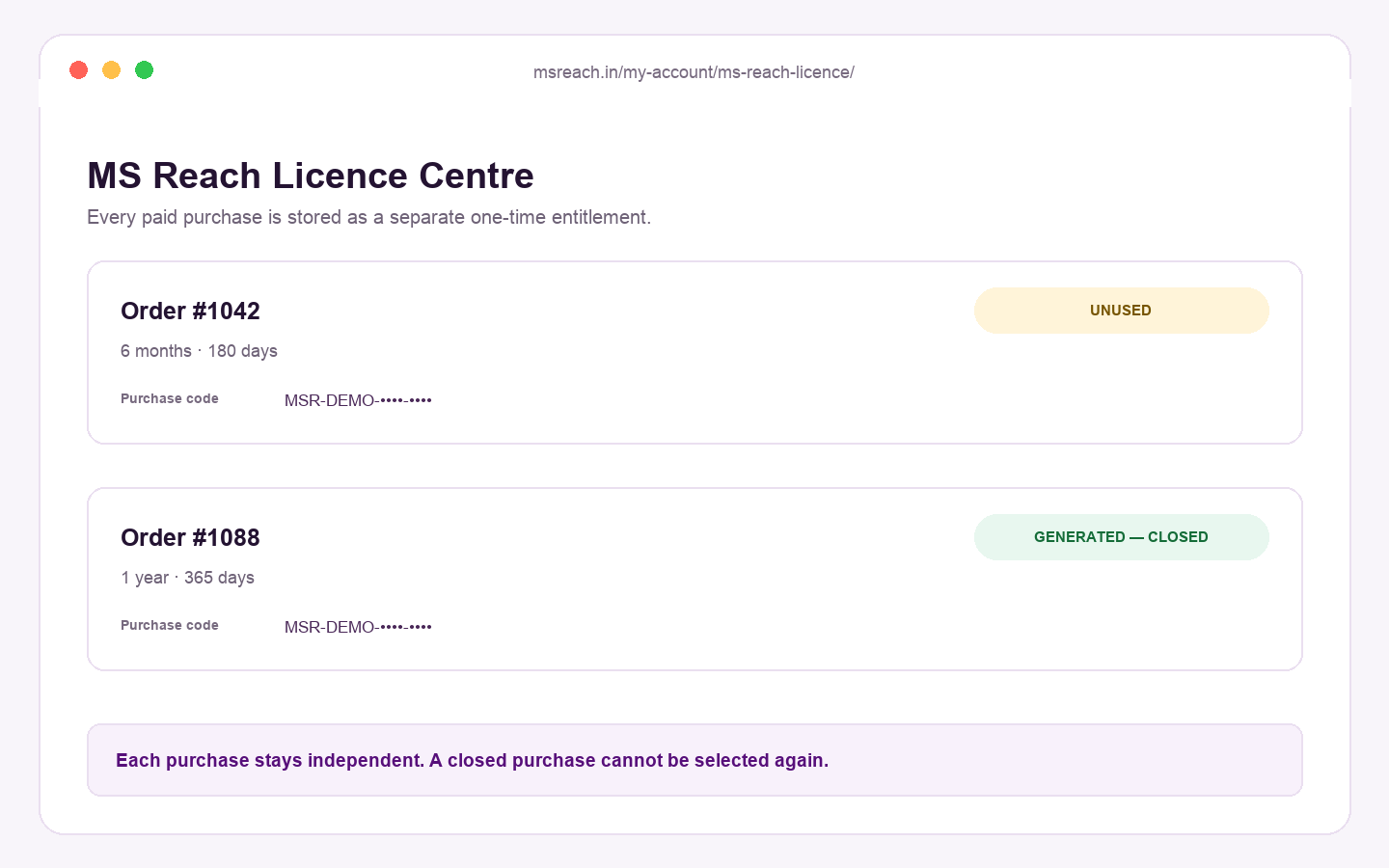
Select an unused order and paste the complete 64-character machine code displayed by the MS Reach application. Check it carefully before continuing.
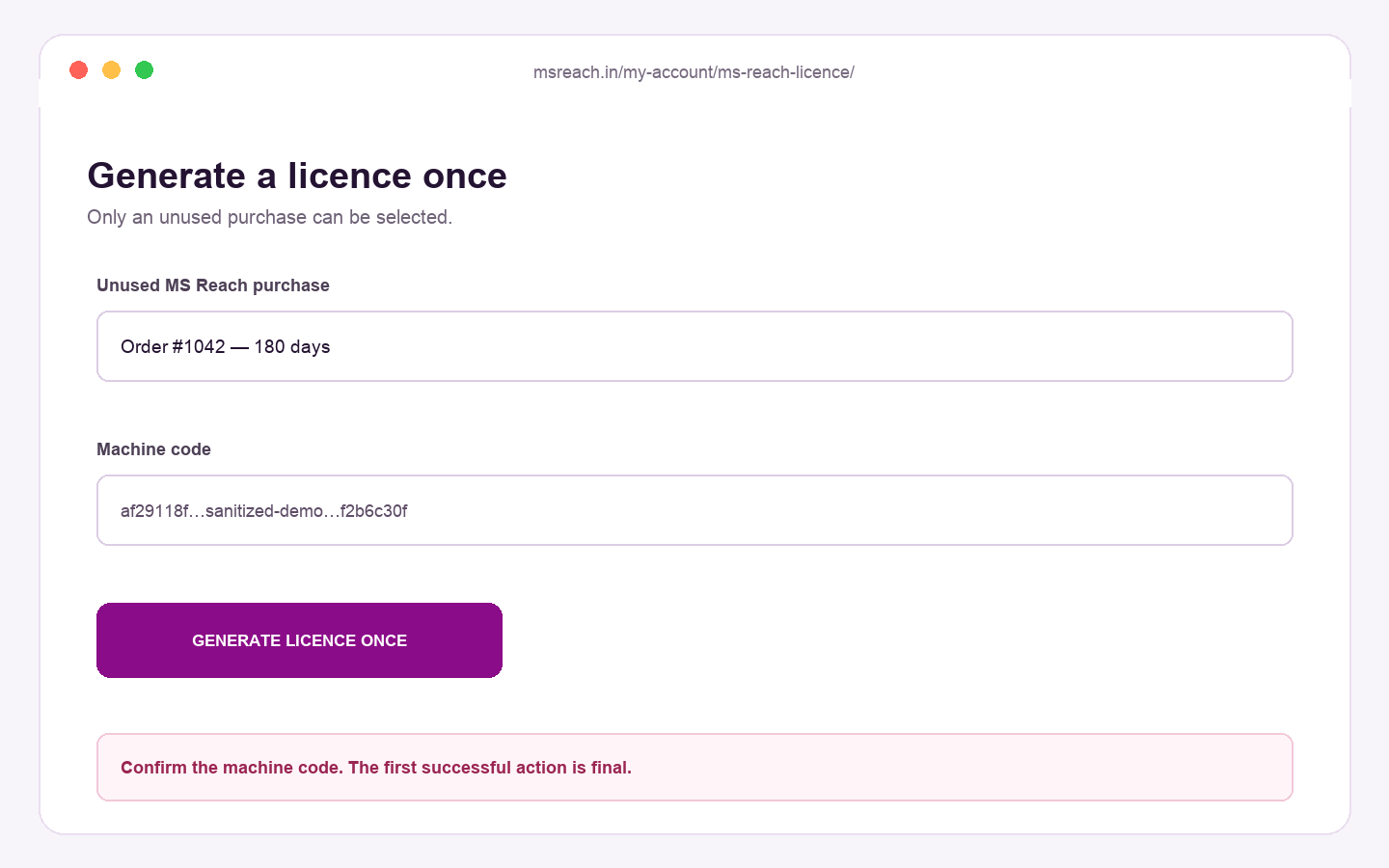
Select Generate licence code once. The first successful database action generates the licence and permanently closes that purchase code.
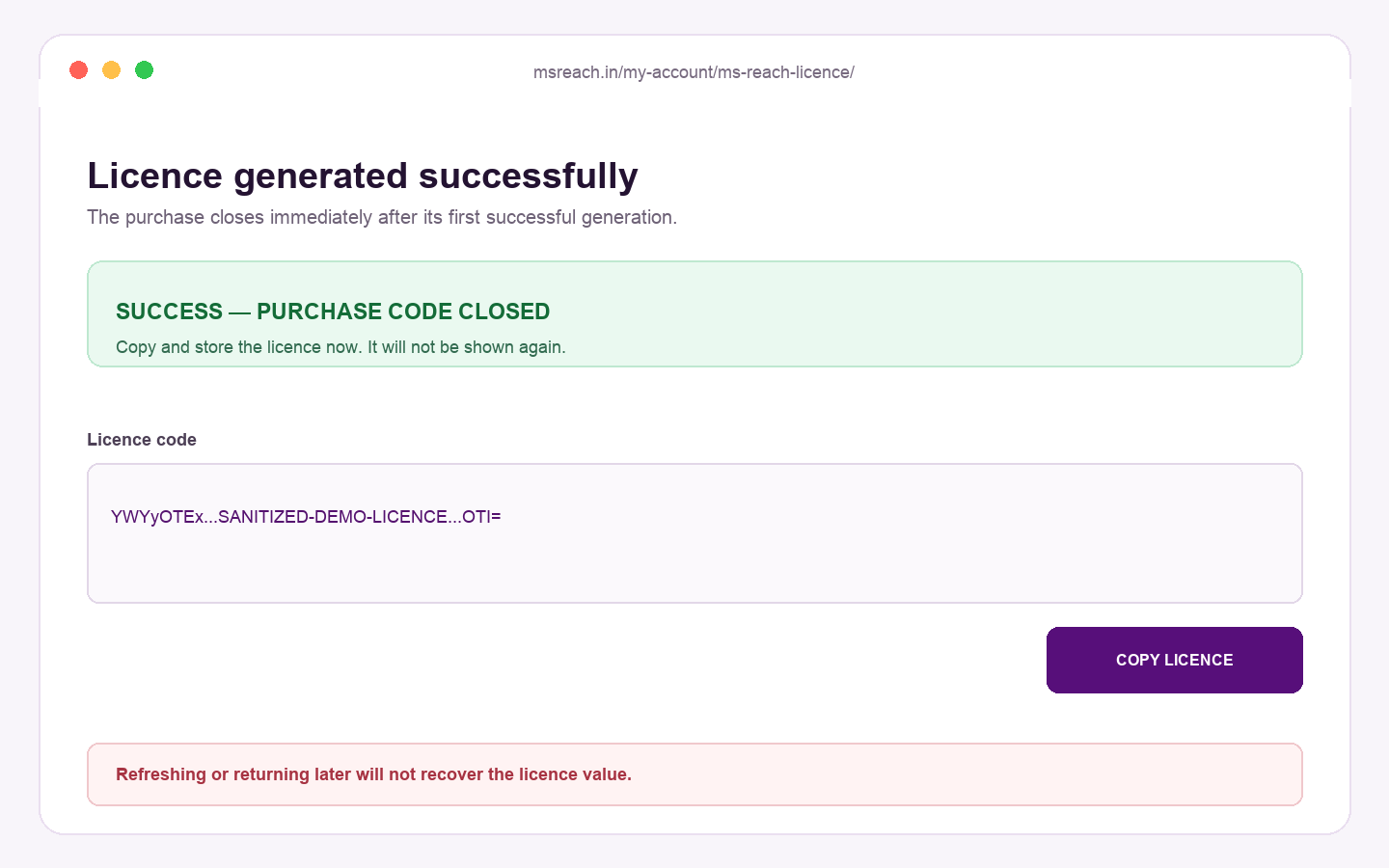
The protected account retains the order, purchase-code record, purchased duration, machine code, activation time, expiry, closure status and blocked attempts. The licence value is not available for recovery.
No. The first successful generation permanently closes that purchase code. Repeated clicks, refreshed pages and simultaneous requests cannot create another licence.
No. Copy and securely store the licence while it is displayed. Licence recovery is disabled.
No. The one-time rule is final. Support can explain the process before generation but cannot reopen a completed purchase code.
Every paid purchase is stored separately. Each unused purchase can generate one licence. Using one purchase does not close your other unused purchases.
Your account has no unused paid purchase, or the associated order is unpaid, cancelled, refunded or linked to another customer account.
The licence remains linked to the submitted machine code. Verify it before generation because correction and regeneration are unavailable.
No. The system verifies both the licence record and the signed-in customer ID before generation.
The history records the order, purchase-code record, plan duration, submitted machine code, generation time, expiry, status and blocked attempts. It does not provide licence recovery.
Contact support@msreach.in if you need help before generating the licence. Include your order number and a description of the issue. Do not send passwords or payment-card information.
The included desktop application is designed for Windows.
Yes. The Bulk Sender supports the {{name}} placeholder, contact imports, images, delay controls, and real-time logs.
MS Reach is developed and sold by Malleable Software. Final support and license terms are provided on the WooCommerce product page.
No. You connect your own OpenAI API key, choose an available model, and define the system prompt inside the app.
You should message only recipients who have provided appropriate consent, and you are responsible for complying with platform rules and applicable laws.